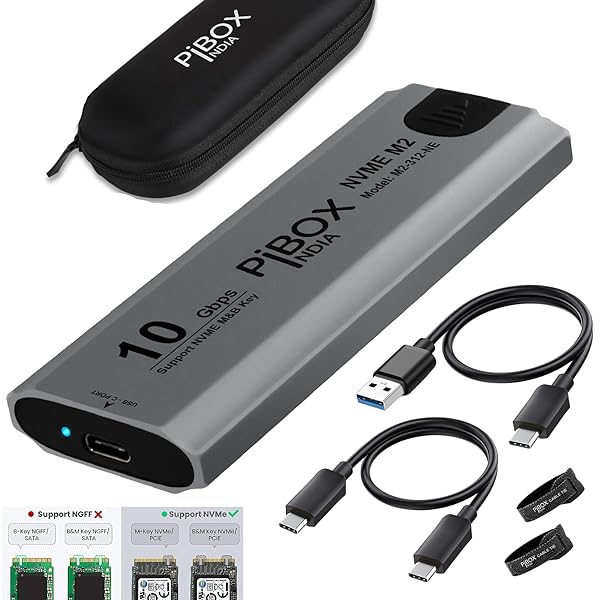
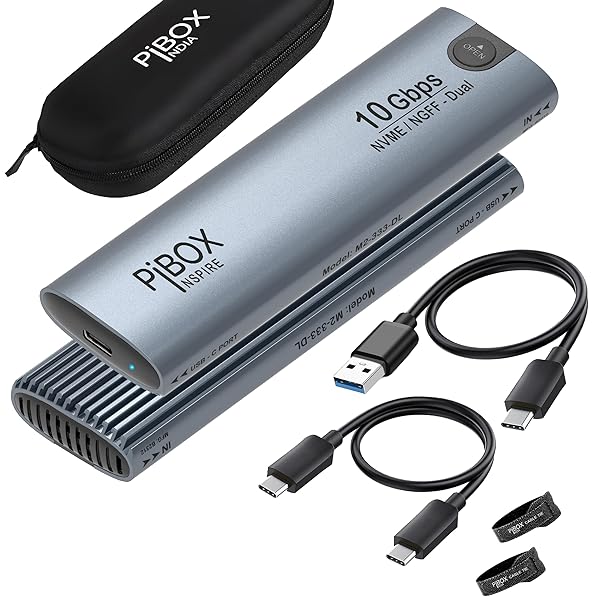
NVME M2 Enclosure, PiBOX India NVMe SSD Enclosure – USB 3.2 10Gbps, Tool-Free M.2 NVMe Case, PCI-E NVMe Reader, USB-C, Supports M & B&M Keys, 2230/2242/2260/2280 SSDs, REALTEK RTL9210 Chipset [INSTALLATION VIDEO INCLUDED]
$42.85
$64.28
FOR INSTALLATION and Removal of SSD – Please refer INSTALLATION Procedure on the bottom / Refer Manual: [UnBOX and INSTALLATION VIDEO Included here] 【Blazing 10 Gbps Data Speed】Two USB C-C and USB C-A Strong Cables : 10 Gbps HIGH SPEED: PiBOX India M.2 NVMe SSD external case adopts the latest USB 3.1 Gen 2 Type-C interface. Support UASP acceleration protocol and support theoretical data transmission speed of up to 10Gbps. When using high-performance NVMe media, the read/write performance can exceed 900 MBytes/sec. Included USB-C to USB-C and USB-C to USB-A cables, works with USB-C/USB-A hosts. 【Unlock Seamless Compatibility:】ONLY SUITABLE FOR PCIe NVMe M.2 SSD: PiBOX India M.2 to USB enclosure only for NVMe M-Key M.2 SSD (PCIe-based) up to 4TB, applicable to sizes 2230 / 2242 / 2260 / 2280 SSDs, PCIe NVMe case does not support M.2 SATA based SSDs, M.2 PCIe AHCI SSDs, and any SSD from Mac. [Does not support NGFF SATA SSD] 【Effortless Operation:】 Experience plug-and-play simplicity with tool-free installation—no drivers required for this enclosure. Slide open the rear cover, place your M.2 SSD into the B-Key or M&B-Key slot, secure it with the provided rubber fasteners, and close the case. No external power supply is needed, and it supports hot-swapping. Its compact, portable design, clad in a sleek aluminum shell, makes it easy to carry on the go. 【Reliable and Sturdy:】 Crafted from premium aluminum alloy, the PiBOX India enclosure excels at dissipating heat, obviating the need for a cooling fan during high-speed operation. It boasts short-circuit, over-current, and over-heat protection, ensuring the safety of your NVME M2 SSDs and critical files. Furthermore, it features S.M.A.R.T functionality to monitor your M.2 SSD’s status, while the LED indicator provides instant status updates. 【Versatile Compatibility:】 Our enclosure extends compatibility to Windows 10/8/7/XP/Vista, Mac OS, Linux, and Chrome OS. It accommodates a wide array of NVME M2 based M.2 SSDs, including popular models such as Samsung SSDs, WD Green , WD Blue 3D NAND SATA SSDs, Crucial , Kingston SSDs, and more. INSTALLATION STEPS: 1. Press the ‘OPEN’ button on the M.2 SSD Enclosure and pull out the plastic inner frame. 2. Insert the SSD in place 3. SSD Retention Plug Assembly : Match the groove of the tiny plug with the SSD. Refer Images below. Install the Plug first on SSD and then push down. 4.Push the SSD retention plug assembly into the appropriate slot on the enclosure, to lock the plug in the slot. 5. Push the inner tray into the enclosure until it clicks into place. Follow the “IN” mark for direction to insert. If the plug obstructs the inner frame from closing, please check step 3. 6. Connect the unit to a PC with the cable. While connecting a new SSD for the first time, if the SSD is not detected – please create partitions/format if needed and assign drive letters under disk management. REMOVE THE SSD Option1: Pull the on the SSD away from the SSD. [Primary option] Option2: FAQ If your computer can’t recognize the SSD enclosure:To set up the new SSD, begin by accessing the disk management tool and initiating the disk initialization process. Follow the provided steps to ensure the SSD is detected and ready for normal use. How to start disk management? Right click “Computer” – “Manage” – “Disk Management”. Find your unallocated disk, right click “Unallocated”, and choose “New Simple Volume Wizard” How to start disk management (in windows 10)?Click Start -> Run -> type compmgmt.msc -> click OK. Alternatively, right-click on the My Computer icon and select ‘Manage’. In the console tree, click Disk Management. Regarding “Format” issue: If you want to work on both Mac and Windows OS, please chooseEXFAT format. Overheating Protection:When your SSD experiences overheating during large data transfers, the enclosure will activate the automatic overheating protection.This may result in the enclosure going into read-only mode or temporarily halting the data transfer to prevent SSD damage. This protective measure not only safeguards your SSD from potential harm caused by overheating but also enhances its overall lifespan.